Showing posts with label MacBook Pro. Show all posts

Apple Released the New Mac OS X Officially [$29.99 Available Now]

    So Finally, Apple has released the latest Mac OS X to Public. It's now available in the Mac App store for just $29.99. There were rumors that Apple will release Mac OS X at the end of this Month or later and finally it's available in the Stores Now. It will be propagating through all the international App Stores.


    Description about Mac OS X:
    OS X Lion is the next major release of OS X, the world’s most advanced desktop operating system. It includes over 250 new features that will transform how you interact with your Mac.  Tap, swipe, and scroll your way through your apps using fluid Multi-Touch gestures that make everything you do feel more natural and direct. Full-screen apps take advantage of every pixel of your display — perfect for reading email, surfing the web, or browsing photos. Launchpad gives you instant access to all the apps on your Mac in a stunning new layout where you can quickly find any app and open it with a single click. And Mission Control brings together Exposé, full-screen apps, Dashboard, and Spaces in one unified experience. With a gesture, your desktop zooms out, displaying a bird’s-eye view of everything running on your Mac and making it easy to navigate anywhere with a click.

    You can download OS X Lion here.


    Open Mac App Store to buy and download apps.

    Multi-Touch gestures

    • Fluid and realistic animations make gestures feel natural and direct.
    • Tap or pinch to zoom in on text and images.
    • Swipe left or right to move from one page to another in an app or switch from one full-screen app to another.
    • Swipe up to enter Mission Control.
    • Pinch to access Launchpad.

    Full-screen apps
    • A new full-screen button takes an app window full screen.
    • Run multiple full-screen apps at the same time.
    • Switch between full-screen apps and your desktop with a gesture.
    • Apps stay full screen when you switch to another app.
    • OS X Lion includes full-screen Mail, Safari, Preview, iCal, FaceTime, Dashboard, Screen Sharing, and Photo Booth.

    Mission Control
    • Brings together Exposé, full-screen apps, Dashboard, and desktop spaces.
    • Gives you a bird’s-eye view of everything running on your Mac, allowing you to navigate anywhere with a click.
    • Exposé view shows all open windows on your desktop grouped by application.
    • Create and organize desktop spaces in Mission Control.

    Launchpad
    • A new home for all the apps on your Mac.
    • Apps downloaded from the Mac App Store automatically appear in Launchpad.
    • Launchpad automatically adds pages to accommodate all your apps.
    • Apps can be organized on multiple pages and grouped in folders.

    Mail
    • The widescreen layout displays the message list and selected email side by side in full-height columns.
    • The favorites bar gives you one-click access to your favorite mail folders.
    • Search suggestions dynamically present the best matches for your search.
    • Search tokens help refine search results based on people, subjects, mailboxes, dates, and attachments.
    • Conversations automatically groups related messages, displaying them in chronological order and hiding repetitive quoted text.

    Other great Lion features
    • Auto Save automatically saves your changes as you go, so you never have to worry about losing your work.
    • Versions keeps a history of your document as you work and presents it in a timeline you can browse.
    • Resume reopens an app exactly as you left it.
    • AirDrop is the simplest way to send files to anyone around you, wirelessly — no setup or special settings required.
    • Reading List in Safari lets you easily save web pages to read or browse later.

    For More News on Apple, Microsoft, Google, Web And all new trending in Technology World, Stay Tuned with us. Like us on Facebook and Follow Us on Twitter.
    Source URL: https://nvdem.blogspot.com/search/label/MacBook%20Pro
    Visit Teleinfo for Daily Updated Hairstyles Collection

"Back To School" Promotion Now Launched By Apple - Get $100 App Store credit

    Apple has finally launched their 2011 "Back To School" Promotion. After lots and lots of rumors, It has finally been revealed that Apple is only giving $100 App Store Credit not an iPod Touch as it was rumored. But still rumors had it all, Apple is now celebrating "Back To School" by giving away $100 App Store Credit for an Buy of any qualifying Mac.


    When you buy a new qualifying Mac with Apple education pricing* from June 16, 2011, through September 20, 2011, you'll get a $100 Back to School Card to use on the Mac App Store, the App Store, the iTunes Store, and the iBookstore.
    Back To School by Apple starts today and it's duration will be till 20th of September. International users also get a chance, As in Europe with a Buy of an Mac they'll get 75 Euros App Store Credit(65 British Pounds in UK).


    Information About Back To School:


    Who are eligible for $100 App Store Credit for Back TO School Promotion?
    • College students or students accepted to college
    • Parents buying for college students or students accepted to college
    • Faculty or staff members at any grade level
    How to get the Mac with $100 App Store Credit?


    1: Shop for a Mac.


    Or call 1-800-MY-APPLE.

    2: Get your card.

    When you buy a qualifying Mac at the Apple Retail Store or Apple Online Store, we’ll include your Back to School Card with your order. If you buy at a campus store, you’ll submit your claim online and get your code via email.

    3: Redeem your code.

    Enter the code on your Back to School Card in your iTunes account and we’ll automatically credit you with $100 to spend on the Mac App Store, the App Store, the iTunes Store, and the iBookstore.


    For More News on Apple, Microsoft, Google, Web And all new trending in Technology World, Stay Tuned with us. Like us on Facebook and Follow Us on Twitter.
    Source URL: https://nvdem.blogspot.com/search/label/MacBook%20Pro
    Visit Teleinfo for Daily Updated Hairstyles Collection

Introduction to MAC OS X Lion [Video]

    Apple has now announced the MAC OS X Lion along with iOS 5 and iCloud Service in WWDC Event. We've already discussed iCLoud and iOS 5 in Details, and now We've brought you an amazing Video, It is about the MAC OS X Lion and it's unending features. Apple has created an really nice Video discussing all the Key features of MAC OS X Lion.


    So check out the Video below:
    Get a closer look at OS X Lion, the world's most advanced desktop operating system. With features like Mission Control, Launchpad, full-screen apps, and new gestures, OS X Lion takes Mac further than ever.


    And If you've missed the Keynote about MAC OS X Lion, We've also included the Video of the Keynote which will get you into more details about MAC OS X Lion. Click here.

    For More News on Apple, Microsoft, Google, Web And all new trending in Technology World, Stay Tuned with us. Like us on Facebook and Follow Us on Twitter.
    Source URL: https://nvdem.blogspot.com/search/label/MacBook%20Pro
    Visit Teleinfo for Daily Updated Hairstyles Collection

The New 21.5 iMac TearDown [Images]

    Apple released the New iMacs yesterday, The 21.5 Inch and 27 Inch Models of iMacs were released. And these new iMacs have got all the new Sandy Bridge Processor and Thunderbolt Technology. So here we have something Interesting for you. Folks at iFixit decided to teardown the new iMac to see what's Inside and why are the new iMacs so fast. Guys at iFixit has done a really great Job bringing us the Pictures of the Teardown of 21.5 Inch iMac.
    For you Interest we have also wrote an Article about the Benchmarks of the New iMacs, which proves that the new iMacs are Faster. Check it here.


    When they iFixit guys teardown the iMac they found some real Interesting Stuff in it. Here are the Specification of 21.5 Inch iMac after teardown:
    • 2.5 GHz quad-core Intel Core i5-2800S CPU with 6 MB of Intel Smart Cache.
    • Intel BD82Z68 Platform Controller Hub
    • Broadcom BCM57765B0KMLG Integrated Gigabit Ethernet and Memory Card Reader Controller
    • Cirrus 4206BCNZ audio controller
    • SMSC USX2061 (we believe this a USB 2.0 Hub Controller Family)
    • Intersil ISL6364 CRZ Single-Phase Synchronous-Buck PWM voltage regulator for GPU core power applications
    • Intel L102IA84 EFL Thunderbolt port IC
    Check out the Teardown Images below:


    For More News on Apple, Microsoft, Google, Web And all new trending in Technology World, Stay Tuned with us. Like us on Facebook and Follow Us on Twitter.

    Source URL: https://nvdem.blogspot.com/search/label/MacBook%20Pro
    Visit Teleinfo for Daily Updated Hairstyles Collection

The New iMacs Benchmarking - The Results are Quite Amazing

    Apple has released the New iMacs yesterday. It Includes two Models, the 21.5 Inch and the 27 Inch iMac. With Extra ordinary Features, Sandy Bridge, ThunderBolt, and Quad Core Processors. So here we have Some Benchmark results taken from Different Websites. And the Results clearly Shows the New iMacs are Faster and Durable.


    GeekBench has released some Benchmark results of Macbook Pro, which were released in early 2009/10 and 2011.  You can see the results below, and When we compared these Results with the new iMacs some huge Improvements have been found:


    And Here we have the Benchmark results for the new 21.5 and 27 Inch iMacs, Which has been done by Macworld. And they have reported that these new iMacs are fastest ever tested with the Speedmark 6.5 suite of tests:

    Our overall system performance test suite, Speedmark 6.5, shows the new system to be 16 percent faster than the previous high-end standard configuration iMac, a 27-inch 2.8GHz Core i5 quad-core model with a 1TB 7,200-rpm hard drive, and ATI Radeon HD 5750 graphics with 1GB of dedicated RAM. (Apple considered the older 27-inch 2.8GHz Core i5 iMac a BTO option, but the online Apple Store didn’t treat it like one, so we decided to treat it like a standard configuration model.)
    For More News on Apple, Microsoft, Google, Web And all new trending in Technology World, Stay Tuned with us. Like us on Facebook and Follow Us on Twitter.
    Source URL: https://nvdem.blogspot.com/search/label/MacBook%20Pro
    Visit Teleinfo for Daily Updated Hairstyles Collection

Skype Wants Users to Create them a "Chat Style", For the Next Version of Skype [You can also Participate]

    Skype has now started an competition like event, In which they want their users to create the best Chat Style for the next version of Skype i.e Skype 5.0 for Mac. This is an open source competition any one can participate, you Just have to create the best Chat Style, Submit it, and if People and Judges liked it. Then you might win a Grand Prize and the Chat Style that won the Grand Prize will be integrated in their Latest Skype 5.0 for Mac.

    So this is like our Favorite VoIP app is asking their users to make them better, and to improve the UI according to their users choice. This is an simple competition, Just Submit your custom created CSS for Chat and Submit it to Skype before 8th April.

    Prizes:
    So there are three Rounds in this Competition, with one judge's and one people's choice in each, followed by the selection of a grand prize winner from the six finalists.
    The Winner with People's Choice will get an Apple Tv.
    The Winner with the Judges choice will win an Wifi iPad2.
    The Grand Prize Winner will get an eleven-inch MacBook Air, an iPad2 and his custom created CSS for Chat will be added in their next version of Skype.
    (All the winners get a copy of CSS3 for Web Designers and a year's subscription to Skype Unlimited World Extra)


    Getting Started:
    Get started Now, and create the best Chat Style for Skype to Win. For More Information and Details Visit Skype.

    For More News on Apple, Microsoft, Google, Web And all new trending in Technology World, Stay Tuned with us. Like us on Facebook and Follow Us on Twitter.
    Source URL: https://nvdem.blogspot.com/search/label/MacBook%20Pro
    Visit Teleinfo for Daily Updated Hairstyles Collection

Turn your iPhone into a Tilt-Sensitive Game Controller with TiltPad- Works Almost with any Video Game [Video]

    A really great new App has just hit the Apple App store. This new App is named as "TiltPad" which lets you turn your iPhone into a Tilt-Sensitive GameController. This means it increases your gaming experience and make it more fun with Motion Sensitivity. You can use this App on Mac, you just have to download this App for iPhone or iPod Touch and you also have to download Mac OS X utility for this game and you are on the go with Ultimate Fun.

    Description:
    TiltPad turns your iPhone into a motion sensitive game controller. It works with any video game and uses your iPhone's motion sensors to control your gaming via iPhone tilting!
    How to Install and use it:
    1. Download from your computer (Mac) TiltPad Server (free) at www.appnea.com/tiltpad.zip.
    2. Connect your iPhone and computer to the same Wi-Fi network. If no Wi-Fi is available create one from your computer.
    3. Launch TiltPad both on your computer and iPhone.
    4. Select your computer from your iPhone. Use your iPhone as a mouse vertically and as a "tilt sensitive" remote control in landscape mode.
    5. Adjust your gaming settings in the TiltPad server preference panel.

    Download:
    You can download this App for iPhone and iPod TOuch from iTunes Store for just $1.99, Click here to download. And for Mac Utility Click here to download.(Free)

    Video:


    For More News on Apple, Microsoft, Google, Web And all new trending in Technology World, Stay Tuned with us. Like us on Facebook and Follow Us on Twitter.
    Source URL: https://nvdem.blogspot.com/search/label/MacBook%20Pro
    Visit Teleinfo for Daily Updated Hairstyles Collection

New Skype 5.1 for Mac OS X Available to Download - New Features And Bugs Fixed

    Skype has released another new Version of their Desktop Skype for Mac. Now even more Video calling and more Socialization with the new Skype 5.1, As it have got some new features in it, also there are some Previous Bugs Fixed in it. One of the Good new feature in Skype 5.1 is found that when in Conference call, you can easily identify the Active speaker. Check out more of it's features after the break:
    Some of the New Key Updates in Skype 5.1 for Mac are as Follows:
    • Participants in group calls can easily identify active speakers
    • You can select recent called numbers stored in the dial pad.
    • Fixed many issues including the iSight Firewire webcam detection problem
    • Provide us with your call quality feedback after a call ends
    Features of Skype 5.1:
    • Focus on active speakers in group calls
    • Dial recently called numbers from dial pad
    • Contact groups shown in on the right hand side, allowing more space in the side bar
    • Call Quality Feedback
    • Several minor bug fixes
    Download:

    Download Skype 5.1 Now for you Mac. [Download Link]

    For More News on Apple, Microsoft, Google, Web And all new trending in Technology World, Stay Tuned with us. Like us on Facebook and Follow Us on Twitter.
    Source URL: https://nvdem.blogspot.com/search/label/MacBook%20Pro
    Visit Teleinfo for Daily Updated Hairstyles Collection

Apple Released Mac OS X 10.6.7 , With MacBook Pro Issues Fixed and Other Bugs fixed [Update]

    Apple has now again released an updated version of Snow Leopard i.e Mac OS X 10.6.7.This update fixes most of the Bugs in the latest 2011 MacBook Pros. Which users complained that their MacBook Pro freezes and crashes, so this update might help them all with these issues. Most of the other things that are improved in it are MobileMe Back to my Mac service, the Mac App Store, SMB (Windows) file transfers, FaceTime, graphics, and external displays.


    The 10.6.7 Update is recommended for all users running Mac OS X Snow Leopard and includes general operating system fixes that enhance the stability, compatibility, and security of your Mac, including fixes that:

    - Improve the reliability of Back to My Mac
    - Resolve an issue when transferring files to certain SMB servers
    - Address various minor Mac App Store bugs

    For detailed information on this update, please visit this website: http://support.apple.com/kb/HT4472.
    For information on the security content of this update, please visit: http://support.apple.com/kb/HT1222.
    Most of the things which aare fixed and updated are mentioned below:

    Includes all the improvements in the previous Mac OS X v10.6.1, 10.6.2, 10.6.3, 10.6.4, 10.6.5, and 10.6.6 updates.

    Includes Safari 5.0.4.

    Includes RAW image compatibility for additional digital cameras.

    For information about the security content of this update, please visit article HT1222.

    Resolves a window resizing issue with X-Plane 9 on Macs with ATI graphics

    Addresses an issue with MacBook Air (Mid 2010) computers that could cause a kernel panic.

    Address issues in the AirPort driver for certain devices.

    Improves brightness on external displays and projectors.

    Addresses an issue where DVD Player may display black video on some Macs using the 64-bit kernel.

    Addresses an issue with some NEC displays in which the screen may appear black when connected to a Mac Pro (Mid 2010).

    Resolves an issue in which some Multiple Master (MM) fonts were missing from Mac Pro (Mid 2010), MacBook Pro (15-inch & 17-inch Mid 2010), and iMac (Mid 2010) computers.

    Addresses various issues with MacBook Air (Mid 2010) computer performance.

    Resolves an issue in which clicking the Updates tab in the Mac App Store could cause the Mac App Store to become unresponsive.

    Fixes a problem opening an afp:// URL that points to a file, and changes the AFP mount path to conform to previous Mac OS X releases. For details, see article HT4538.

    Includes the ability to repair certain issues that may prevent hardware RAID volumes from mounting. For more information, see article TS3631.

    Fixes a rare issue in Mac OS X v10.6.5 that could cause user accounts to disappear from the Login window and System Preferences after putting the system to sleep.

    Improves the reliability of dragging files or folders to the Trash when using an NFS home directory.
    Update Now:
    You can get this new OS 10.6.7 via Software Update. The File size of this update is approximately 400 Mb.

    For More News on Apple, Microsoft, Google, Web And all new trending in Technology World, Stay Tuned with us. Like us on Facebook and Follow Us on Twitter.
    Source URL: https://nvdem.blogspot.com/search/label/MacBook%20Pro
    Visit Teleinfo for Daily Updated Hairstyles Collection

New 2011 MacBook Pros Having Issues - Freezing, Crashing, Home Sharing and other

    News From itechvision,
    Apples New MacBook Pros have got lots of Features with a very Powerful Processor, not just the processor is powerful but it's RAM and other specs are also good. But it's a fact that with all these things it still have Bugs you can say. There are lots of MacBook Pro users complaining about Issues with their Laptops. Some say their MacBook Pro Freezes and they have to restart every time it freezes. Users say when they run more than 5 Apps at a time, it suddenly freezes and you can't do anything with it except moving the cursor.


    These issues are not just related to single person, they are global issues. Before that we saw many people having problem with iTunes Home Sharing on MacBook Pros.

    Here's what users are complaining about, these have been taken from Apple Discussion Board:


    One of the User have reported this to Apple so they reply he got was to install SnowLeopard again if still presists you have to replace it:

    So the real question is Why are there so Much Bugs in these New MacBook Pros, we still don't know. Let Apple give us answers for these.

    For More News on Apple, Microsoft, Google, Web And all new trending in Technology World, Stay Tuned with us. Like us on Facebook and Follow Us on Twitter
    Source URL: https://nvdem.blogspot.com/search/label/MacBook%20Pro
    Visit Teleinfo for Daily Updated Hairstyles Collection

The New MacBook Pros Specification Comparison Chart

    All of these new MacBook Pros were released by Apple on 4th February 201, these include 17 inch, 15 inch and 13 inch models. Apple has feeded these new MacBook Pros with some extraordinary features, One of them is the ThunderBolt Technology that makes the data transfer speed reach upto 10Gbps, other than that it have Sandy Bridge Processor and AMD GPU’s(Graphical Processing Unit) and much more.
    Here we have an complete specification comparison chart between different sizes of these New MacBook Pros, and also watch out for which one suits you best,check it out:

    Click on the Image for Larger Preview

    For More News on Apple, Microsoft, Google, Web And all new trending in Technology World, Stay Tuned with us. Like us on Facebook and Follow Us on Twitter.
    Source URL: https://nvdem.blogspot.com/search/label/MacBook%20Pro
    Visit Teleinfo for Daily Updated Hairstyles Collection

MacBook Pro Hands on Video, Light Peak Technology and Sandy Bridge Processor [Video]


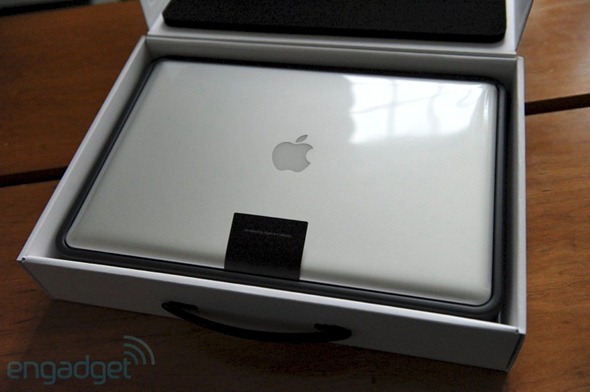
    Nilay Patel Of Engadget has got his hand's on with the the New MacBook Pro 15". This new Macbook Pros has got some great technology known as "ThunderBolt", which gives you the outstanding transfer(Files) speed of about 10Gbps. With it's Sandy Bridge Processor and AMD Radeon graphics it become the Beast.

    As for performance, we were given the $2,199 configuration with a 2.2GHz quad-core Sandy Bridge Core i7, discrete AMD Radeon HD 6750M graphics, 4GB of RAM and a 750GB HD, which clocked a preliminary GeekBench score of 9647. We’ll have tons more testing in our full review, including detailed comparisons of the discrete chip with Intel’s new integrated HD Graphics 3000.


    It's ThunderBolt technology gives it the ability to transfer 700mbps on a RAID array. It just takes seconds to transfer 5GB file.Unfortunately however, Thunderbolt hardware isn’t readily available, so the only thing you’ll be plugging into your shiny new MacBook Pro’s port will be a monitor (all your existing dongles WILL work). Hopefully 3rd party accessory manufacturers won’t be too far behind with their external hard disks and the like.

    Here's it's Hands-on video previewing it's Thunderbolt Technology:


    Here's another Video showing MacBook Pro multitouch gesture:


    For More News on Apple, Microsoft, Google, Web And all new trending in Technology World, Stay Tuned with us. Like us on Facebook and Follow Us on Twitter.
    Source URL: https://nvdem.blogspot.com/search/label/MacBook%20Pro
    Visit Teleinfo for Daily Updated Hairstyles Collection

Mac OS X Lion First Look [Gallery]

    Mac OS X Lion has been released to all the Mac OS X registered developers yesterday. This version of Mac OS has got some really  new and good features. One of the Mac OS developer has provided Mashable with some screenshots of this Operating system.

    Mac OS X Lion is releasing in Summer. Mac OS X has many new features like Launchpad, Fullscreen Apps, Mission Control, Swipe to navigate and more.

    Here's are the pictures of this new OS:

    Safari 5.1:

    Address Book:
    DashBoard:


    Desktop:


    Desktop Settings:

     Dock:


    Finder:
    Mission Control:
    iCal:
    iCal:
    Launch Pad:


    Launch Pad:

    Launch Pad Folders:


    Mail App:

    Mail App Compose:
    Mission Control:


    Preview:
    iCal:
    Safari:

    For More News on Apple, Microsoft, Google, Web And all new trending in Technology World, Stay Tuned with us. Like us on Facebook and Follow Us on Twitter.

    [Via]
    Source URL: https://nvdem.blogspot.com/search/label/MacBook%20Pro
    Visit Teleinfo for Daily Updated Hairstyles Collection